Open the post menu
On a workout or recipe post, open the … menu. Look for Save workout or Save recipe. The same action can be available on posts viewed through someone’s profile.
Review the saved item
Open your own workout or recipe library and check what was saved. A saved workout is a template, not a completed session in your history. It keeps the exercises and set count, with weight and reps empty for your own performance.
For a recipe, review ingredients, portions and nutrition before using it. Somebody else’s portion or food product may differ from yours.
Make it your own routine
Adjust a saved workout to your equipment and current ability before starting. If you change a recipe, check the resulting quantities and serving count. Saving something from the feed is a starting point, not an individual recommendation.
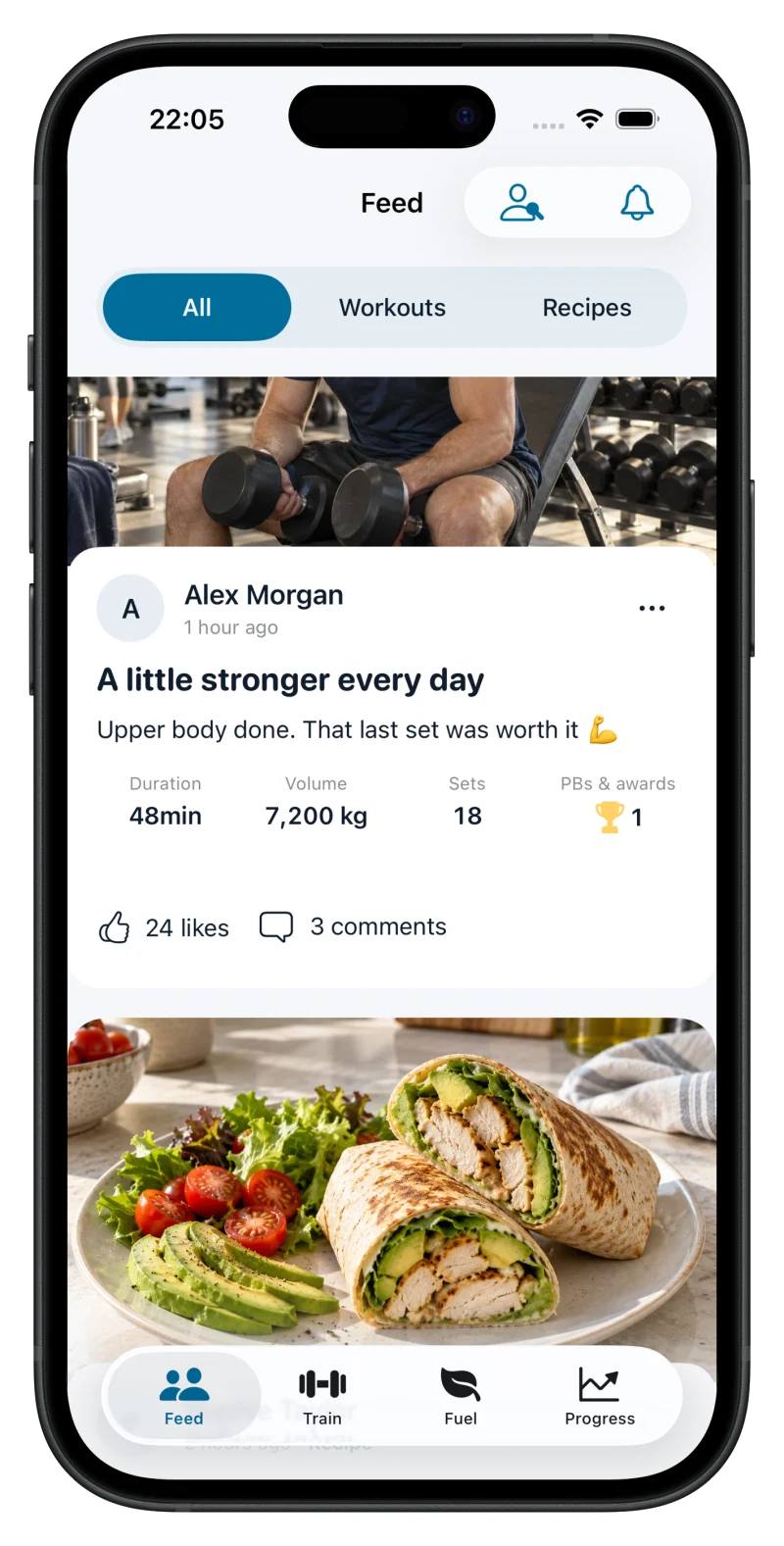
Open a shared workout or recipe from the feed to view its details.
View full-size screenshot ↗Need a hand? Contact [email protected].