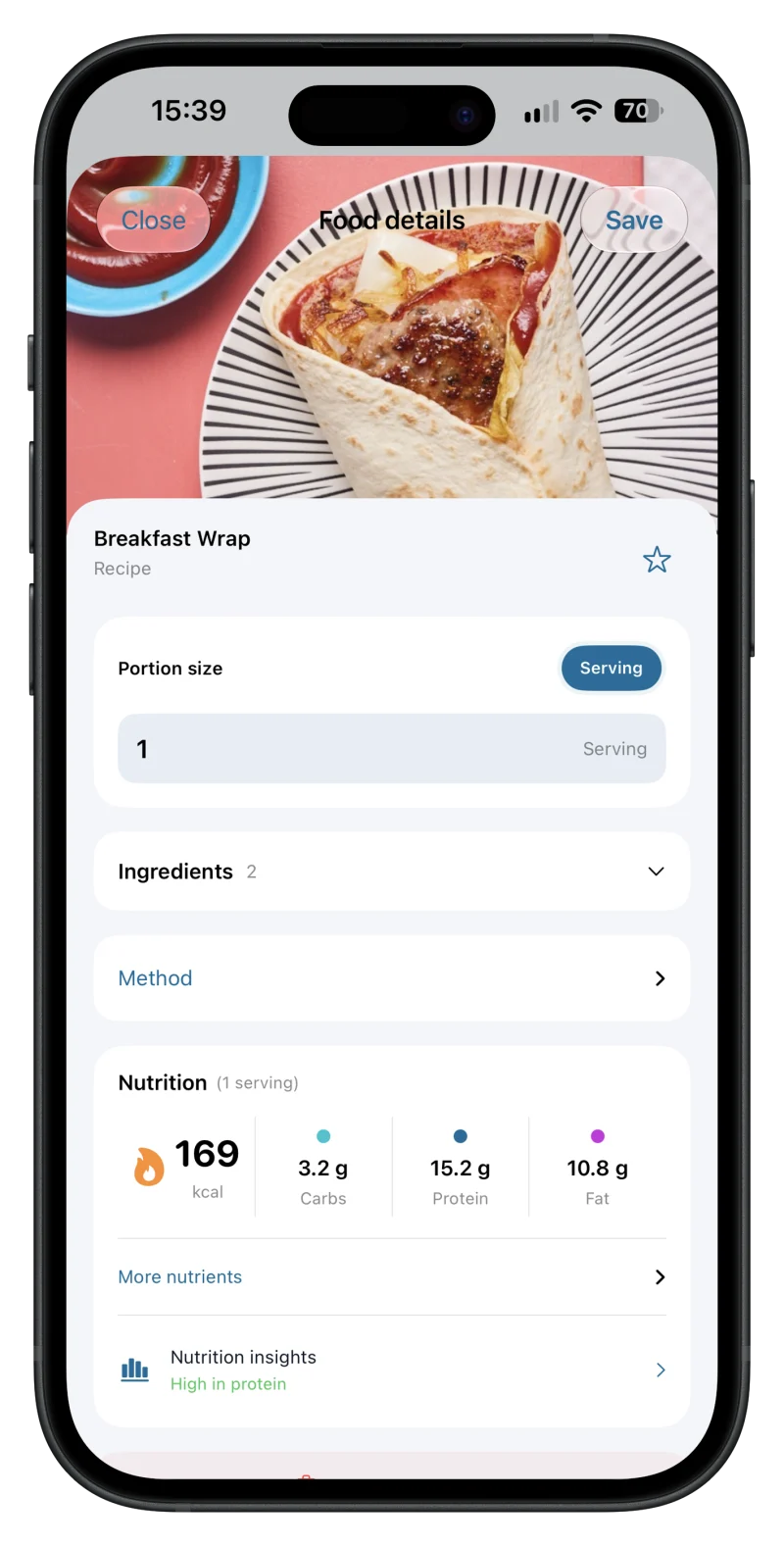
Check the portion before you log.
Check calories, macros and the available portions before adding a food.
Record what you eat in the diary. Use the planner for what you intend to cook; a planned meal only enters your totals after you review and track it.
Search foods, scan a barcode with Fuel or enter calories and macros manually. Check the product and quantity before adding it to a meal.
Save ingredients, servings and cooking steps. Change the serving count when cooking, then review the portion you want to track.
Keep Breakfast, Lunch, Dinner and Snacks, or choose names such as Meal 1 and After training. Pick a built-in image for each diary section.
Invite another person to a shared planner. Choose recipes or add a meal idea, and turn linked ingredients into a shopping list. Each person logs their own portions.
See daily calories and macros alongside the targets for those days. Bars show blue below 95% of target, green from 95% to 100%, and red above target.
Set calories and macros, use flexible calorie days or enable adaptive calorie targets. Adaptive reviews use suitable weight and food records before suggesting a change.
Use your selected drink size to fill the water cups. Keep supplement entries and reminder times with your nutrition settings.
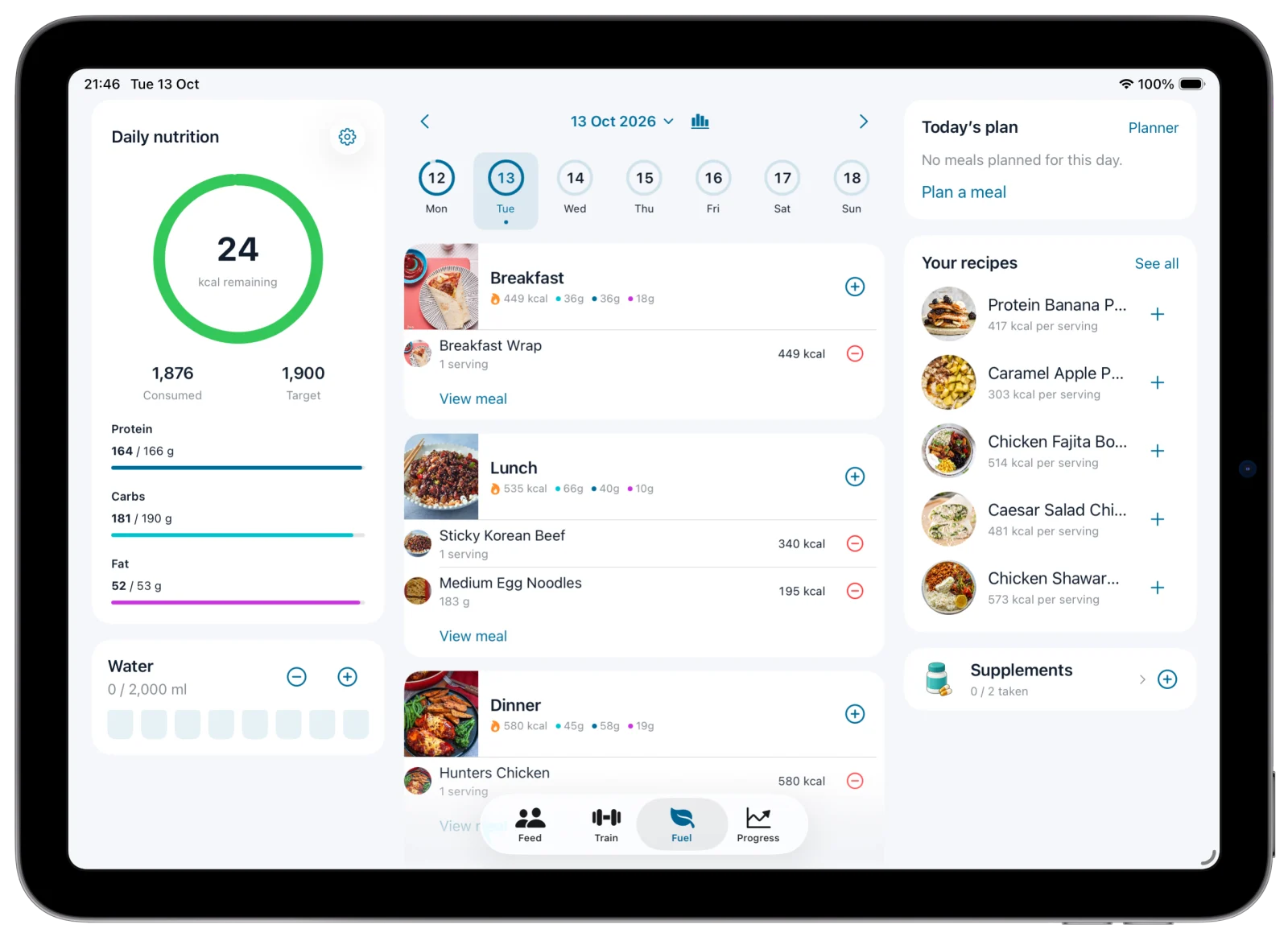
Daily nutrition sits beside the diary, today’s planned meals and five recipe suggestions. Add a recipe with its + control and review the meal and portion before tracking.
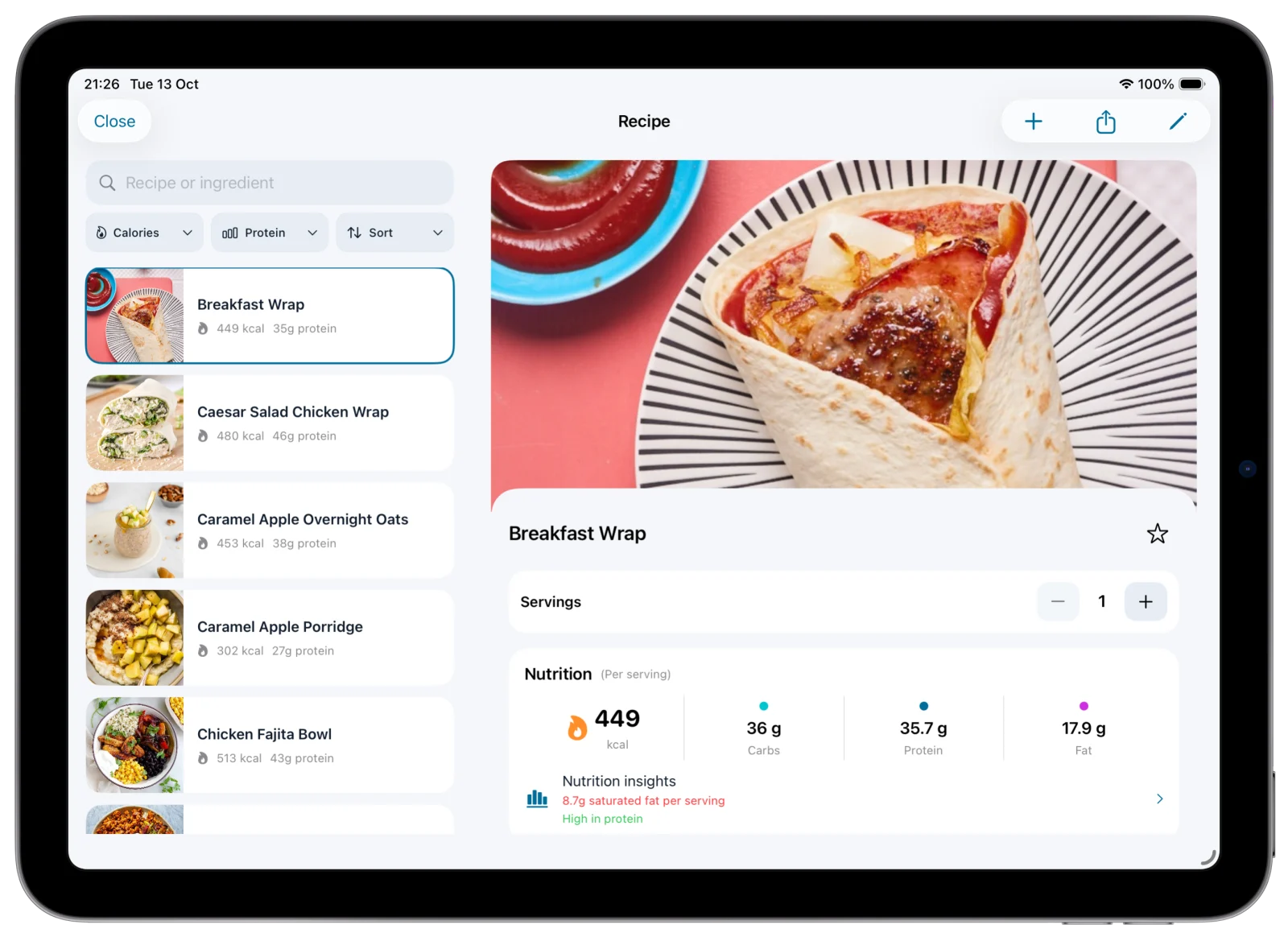
Filter by calories and protein, choose a recipe and switch between Recipe and Cook. Track a portion or add it to your meal planner from the same panel.
Check calories, macros and the available portions before adding a food.
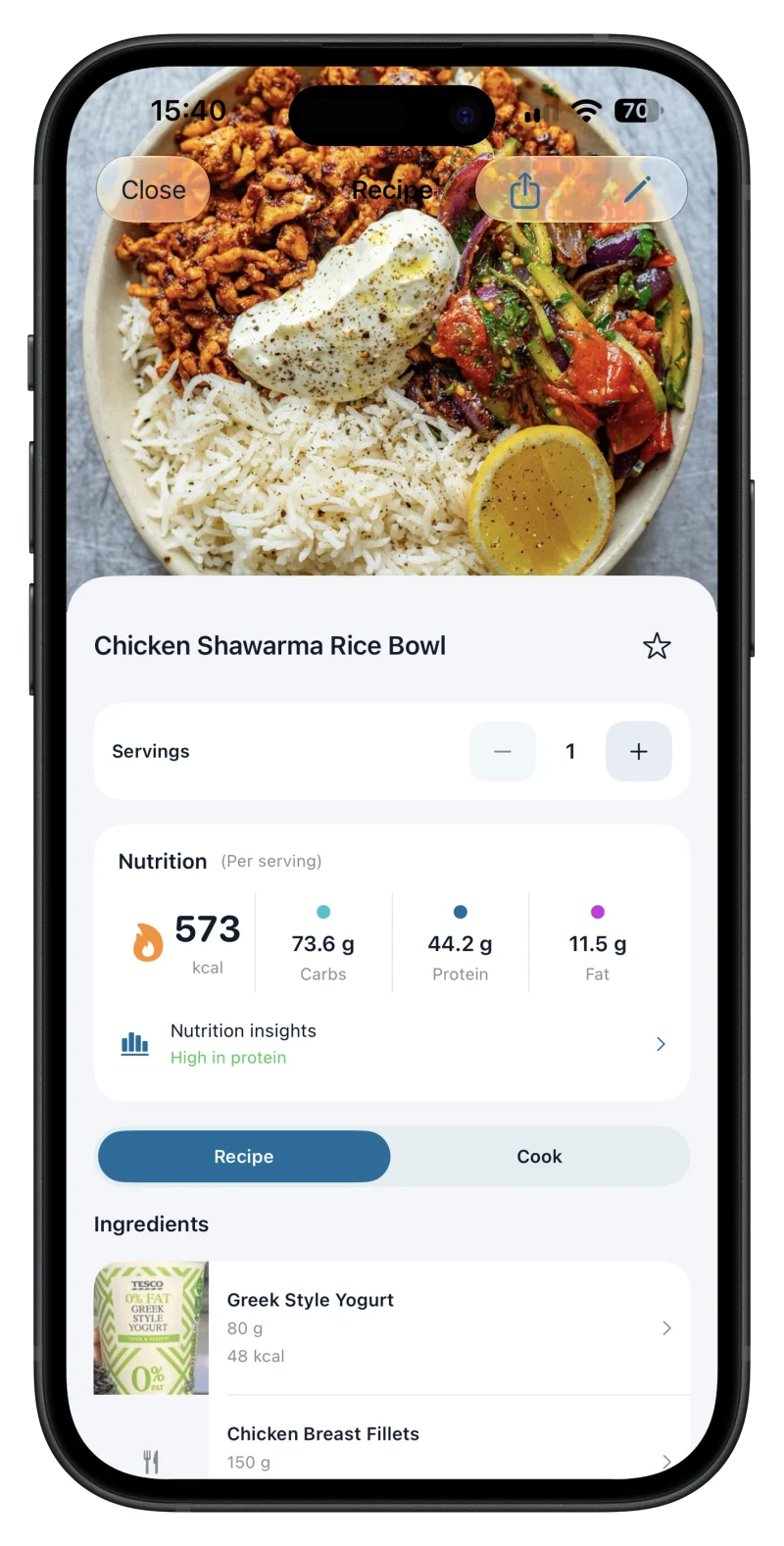
Save ingredients and servings once, then return to the meals you actually cook.