

Separate the questions
A weekly view can answer several different questions: how much is logged so far, how that compares with the relevant targets, and how much remains in the chosen weekly budget. Those are related numbers, not interchangeable labels.
For example, a planned target of 2,000 kcal on each of seven days gives a weekly target of 14,000 kcal. If you deliberately vary the daily targets, add the actual seven targets instead of multiplying today’s target by seven.
An empty day is unknown
If Monday has no entries, the diary cannot tell whether you skipped logging or ate nothing. A low total from incomplete records should not be presented as an achievement or used to encourage a large adjustment.
Likewise, today’s diary may already contain dinner even though it is only lunchtime. The totals describe recorded food, not a live measurement of what has been eaten by the current minute.
Read the remaining budget carefully
Imagine the completed and planned entries relevant to your calculation leave 4,200 kcal for two unallocated days. That is an arithmetic average of 2,100 kcal a day, not a requirement to eat exactly that amount or to compensate for another day.
Check which days and entries are included before comparing the figure with your usual target. A useful weekly summary should make those boundaries clear without asking you to guess.
Use the trend, not a punishment
One meal or day is not a verdict on your progress. Avoid trying to erase an over-target day by skipping meals. Review a longer, reasonably complete record and make sustainable changes where appropriate.
In Gorivo, open the weekly summary from Fuel to compare totals and averages. Keep your diary accurate first; a more complicated calculation cannot repair missing food entries.
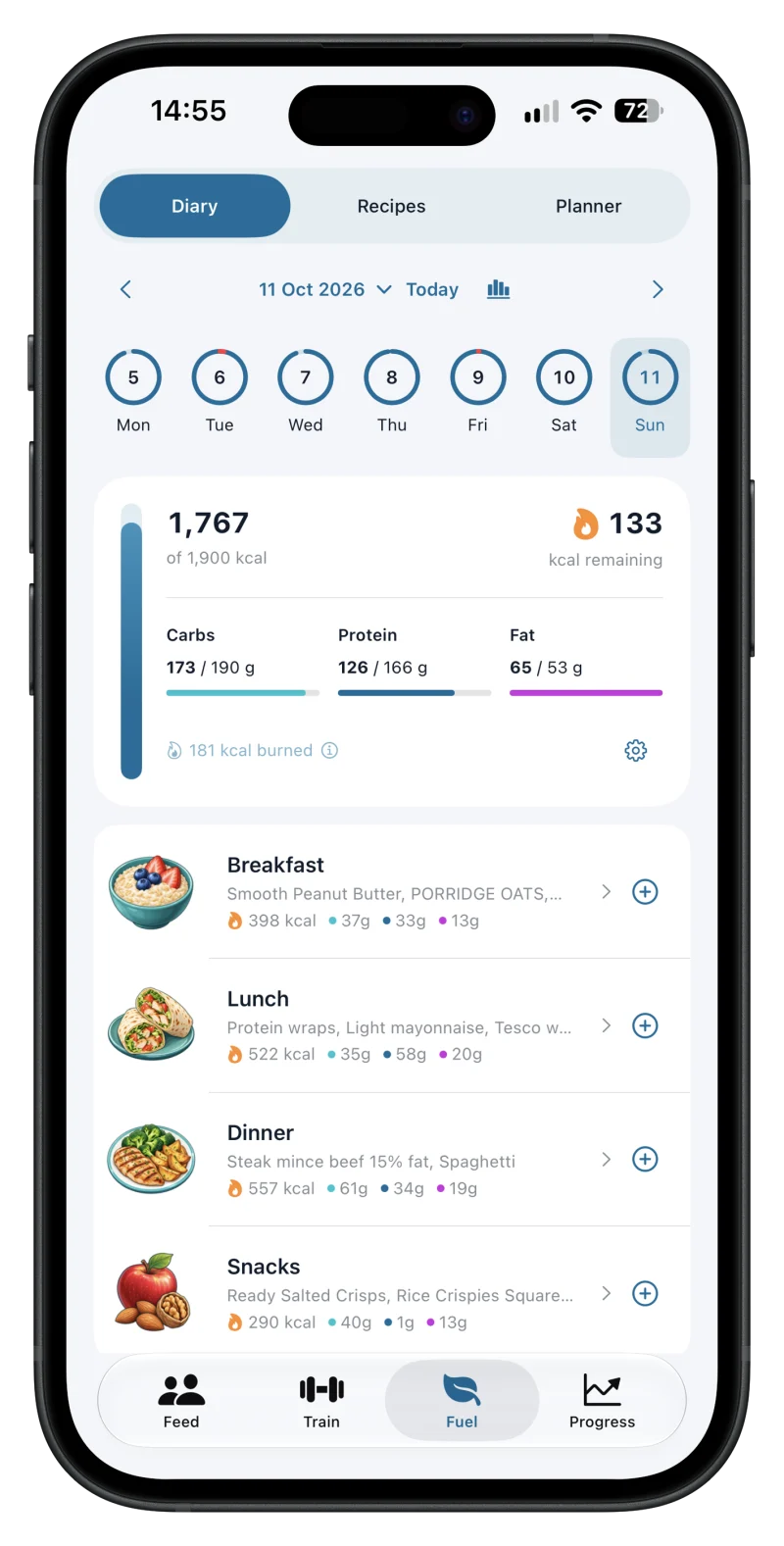
Read daily totals in the context of the week. A blank day is not a zero-intake day.
View full-size screenshot ↗Gorivo editorial · General guidance for adults. Adapt training and food choices to your circumstances.